Open the Canva template
Open our free Canva template. If you don’t have an account yet, simply create one for free.
Open the Canva template
BEAUTY FORUM Festival 2026
Show your community that you’ll be there. In just a few steps, you can create your personal Festival Filter and share it directly on Instagram, LinkedIn, Facebook or other social media channels.
Open the free Canva template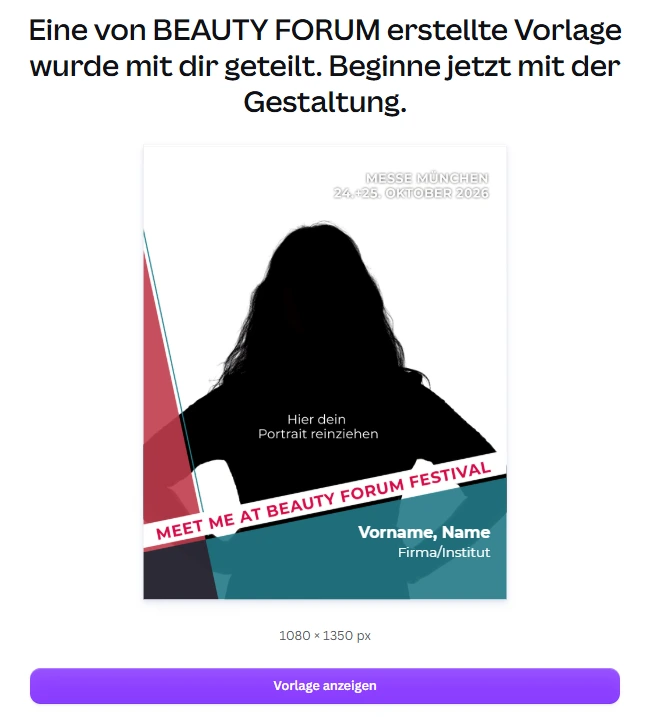 #FestivalFilter26
How it works
All you need is a portrait and a few minutes. The template is free and automatically opens as your own personal copy.
Open our free Canva template. If you don’t have an account yet, simply create one for free.
Open the Canva templateFor the best result, we recommend removing the background from your portrait for free beforehand. Alternatively, you can use a regular portrait.
Remove the backgroundSimply drag your cut-out image or portrait onto the silhouette. Canva will automatically place your photo in the correct position.
Click the placeholder and enter your name and, if you like, your company or studio.
In Canva, click Share → Download → PNG. Your personal Festival Filter is now ready to post.
Post your Festival Filter on Instagram, LinkedIn or Facebook, tag BEAUTY FORUM and use the hashtag #FestivalFilter26.
Share & win
We’re giving away three exclusive beauty boxes among all visitors who post their Festival Filter using #FestivalFilter26. Tag us on Instagram at @beauty_forum_de.
View the terms and conditionsGood to know
24 & 25 October 2026 · Munich
Show everyone that you’ll be at BEAUTY FORUM Festival 2026 – and share the excitement with your community.
Create your Festival Filter now